Showing posts with label notebook. Show all posts
Showing posts with label notebook. Show all posts
Tuesday, October 1, 2013
Intel Celeron B815 Notebook Processor tight And Cheap

You will find several brands of notebooks that use these motorized machines B815:
Elipse Zyrex LW4843.
Toshiba Satellite C640-1085U.
Lenovo G470-1378.
PresarioCQ43-414TU HP.
Neon Axio HNW C 612.
ASUS X44E-VX794D, ASUS X44H-VX107D.
4352-B812G32 Acer, Acer 4349-B812G32.
Types classified as standard notebook with these specs: 320GB Hard Disk, 2GB DDR3 RAM, DVD RW and a 14 inch.
Of all processors other than Intel Atom, Celeron is the lowest class that has a Sandy Bridge architecture design and have a good performance and efficient.
B815 Celeron does not have QuickSync and hyperthread of weakness but no effect in most applications.
Has 6 EU Integrated Intel Graphics that look similar to the desktop HD 2000. Memory speed 1.6 GHz 2MB cache.
B815 Celeron processor similar to AMD mobile processors and AMD E-450 E-350.
PERFORMANCE
This notebook is capable of carrying out minor works by using standard software: Adobe Photoshop, MS Office and others.
B815 processor pretty tough, proven beyond Mamou Intel Dual Core T4500 Intel Pentium 6200 and close in performance.
CPU performance to compete with AMD Liano.
GAME
3D games you can play here, but with the lightweight class, if heavy games like Battlefield you can not expect to be able to play with this processor.
Gaming performance is almost the same as AMD and AMD E-450 E-350.
BATTERY
Battery life when using ASUS X44H B815 Celeron processor can last 4 hours of continuous browsing and to be able to survive 3 hours 20 minutes was obtained.
If only to type survived up to 5 hours.
Final opinion
Celeron B815 includes both performance even with lower specs.
Intels performance is almost the same as the P6000 series and better than the old dual Core T4500.
For the student or the student is a viable alternative, because with limited funds can get it.

Sunday, September 29, 2013
HP EliteBook 8540w XT905UT Notebook Review Price and Specification

HP launches new series of laptops known as HP EliteBook 8540w XT905UT. HP EliteBook 8540w XT905UT notebook consists of a large number of features, including 15.6 inches of beautiful ambient light sensor, LED backlit, anti-glare screen and 500 GB, Serial ATA-300, 7200 rpm hard drive. Pre-installed with the Microsoft Windows 7 Professional Edition operating 64-bit for the new HP EliteBook 8540w Mobile XT905UT consists of fingerprint reader and smart card reader.
HP EliteBook 8540w XT905UT laptop comes with the price range of around $ 1,622.99. Battery 3500 mAh lithium ion HP EliteBook 8540w XT905UT offers many hours of battery life. Weighing £ 6.4 HP EliteBook 8540w Mobile XT905UT this is already available in the United States.
HP EliteBook 8540w XT905UT Notebook Specification:
- 15.6 inches of Ambient light sensor, LED backlit, anti glare display screen
- 1920 x 1080 pixel of resolution
- Mobile Intel QM57 Express chipset
- ATI Mobility Radeon HD 5145 graphics card with 512 MB video memory
- 500 GB, Serial ATA-300, 7200 rpm hard disk drive
- SmartCard reader
- 1333 MHz 4 GB / 32 GB (max) DDR3 SDRAM
- Intel Turbo Boost technology
- 1.73 GHz Intel Core i7 740QM Quad Core processor
- Gigabit Ethernet
- Bluetooth 2.1 EDR connectivity
- 3 MB L3 cache
- Integrated 2 mega pixel webcam
- Fingerprint reader
- LightScribe technology
- Microsoft Windows 7 Professional 64 bit Edition operating system
- DVD±RW (±R DL) / DVD-RAM drive
- Intel Centrino Ultimate-N 6300
- 6.4 lbs of weight
- Lithium ion 3500 mAh battery
Thursday, September 26, 2013
Toshiba Qosmio X870 Notebook Gaming

Specifications given Qosmio X870 Toshiba Notebook, including master.
17.3 inch screen size is large enough to include 3D technology, support Full HD. Using the NVIDIA 3D Vision technology so 3D capable display screen response very quickly.
The processor used is Intels latest processor type, hard disk capacity of 2TB/Hybrid Drive SSD, optional Blu-Ray and the latest NVIDIA GPUs.

Provided there are four ports: Bluetooth 4.0 and USB 3.0. HDMI port is also available that allows you to connect to a HD TV.

Toshiba Qosmio X870 notebook design much like the products from Alienware.
There is a section of red decoration on the sides and a black base color is presented.

4.5
Wednesday, September 25, 2013
Fujitsu Lifebook S561 Specifications Notebook
 Notebook Fujitsu - Fujitsu Lifebook S561 is present to support a variety of activities aimed at mobile professionals and businesses with a rather high price. Are you a professional person? Or a businessman? If so, then this notebook could be a reference for you and consider the following brief review.
Lifebook S561 using a screen size of 13.3 inch and weighs less than 2kg load that is suitable for you to carry it everywhere.
For design, this notebook presents an unusual design, but many of the facilities provided to support your daily performance and premium impressed.
This notebook uses an Intel 2.50GHz Core i5-2520M. Available memory capacity 4GB DDR3-1333 and Intel HD graphics card is integrated.
To run a middle-class applications can run smoothly.
Lifebook S561 also supports the entertainment for you to play movies or playing games, so the game can run smoothly, doing the standard settings.
To support your activities, Fujitsu Lifebook S561 provides a variety of connectivity: USB 2.0 ports (three fruits), Lan, HDMI port, RJ11 port, VGA port, card reader, Express card. RJ 11 port analog mode is useful for connecting to the notebook located on the back.

Lifebook S561 also provided security to protect your data with a fingerprint, a system with fingerprint protection.
Value of the test results
PC Mark 7Pro V1.0.04: 2271
Sysmark 2012 V1.0.0.54: 114
Cinebench R115: 2.87
3D Mark Vantage: P1701
Encoding Audio: 1 Minute 25 Seconds
Encoding Video: 21 Minutes 57 Seconds
Battery Life
write Text: 6 Hours 44 Minutes
Play the Video HD: 2 Hours 31 Minutes
+: Lots of facilities and connectivity. Long battery life. Mild. Long-time Warranty
-: Graphic Standards. Price is rather expensive

Fujitsu Lifebook S561 Specifications
Opersi System: Windows 7 Professional 64bit
Processor: Intel Core i5-2520M, Speed 2.5GHz, 2MB L3 Cache
Chipset: Intel Cougar Point QM 67. Intel Sandy Bridge
Screen: 13.3 inch, Resolution 1366x768
RAM: 4GB DDR3-1333
Hard Disk: 640GB 5400RPM SATA-2
Graphics card: Intel HD Graphics Family
Optical Drive: TSST corp CDDVDW
Sound Card: Realtek ALC 269
Connection: Bluetooth, Wi-Fi bgn 802, USB 2.0 (3), HDMI, Ethernet, RJ 11 Port, VGA Port, Web Cam, Card Reader, Fingerprint, Express Card.
Size: 32.1Cm x 3.4-x 22.8Cm 3.8Cm
Weight: 1.9Kg
Warranty: 3 Years
4.5
Saturday, September 21, 2013
Sony VAIO EA3HGX BJ Notebook Review Price and Specification

Sony has released a new series of Vaio notebook Sony VAIO EA3HGX/BJ name. Sony VAIO EA3HGX/BJ consists of a lot of great features, such as 1066 MHz 4 GB / 8 GB (max) RAM, and 14-inch WXGA TFT, LED-backlit 1366 x 768 pixel screen resolution. Sony VAIO EA3HGX/BJ Microsoft Windows 7 Professional Edition 64-bit operating system. DVD ± RW (± R DL) / DVD-RAM is built EA3HGX/BJ Sony VAIO notebook.
3500 mAh Li-Ion Battery for Sony VAIO notebook EA3HGX/BJ offers long hours of battery life. Weight EA3HGX/BJ Sony VAIO notebook is only 5.3 kg. One year limited warranty is EA3HGX/BJ Sony VAIO notebook. Sony Vaio laptop comes just EA3HGX/BJ matte black. Sony VAIO EA3HGX/BJ Notebook price available at Rs. 63160 in the market.
Sony VAIO EA3HGX/BJ Notebook Specification:
- 14 inches of WXGA TFT, LED backlight display screen
- 1366 x 768 pixel of screen resolution
- Powered with 2.53 GHz Intel Core i5 460M processor
- 3 MB L3 Cache
- Intel Turbo Boost technology
- 1066 MHz 4 GB / 8 GB (max) RAM
- 500 GB, Serial ATA-150, 5400 rpm hard disk drive
- 802.11 b/g/n WLAN connectivity
- Gigabit Ethernet
- Card reader
- 2 ( 0 ) x memory , 1 ( 1 ) x ExpressCard/34 expansion slot
- DVD±RW (±R DL) / DVD-RAM drive
- Runs on Microsoft Windows 7 Professional 64 bit Edition operating system
- Intel HD Graphics Dynamic Video Memory Technology 5.0
- Bluetooth 2.1 connectivity
- 5.3 lbs of weight
- Lithium ion 3500 mAh battery
Wednesday, September 18, 2013
Notebook MSI GT780R Gaming Notebook From MSI Full Specifications Details

Screen and Design
MSI GT780R screen that is given by the 17-inch glossy screen type and resolution can reach 1920 x 1080 Full HD you can set complete with adapter and weighs 3.8Kg.
To design brings classic design with a matt black cast aluminum and motif on the cover of the LCD screen and LED lights on the symbol of MSI and the light condition, the LED lights will live.
Battery

MSI GT780R large-capacity battery, but with a large screen and high specification is presented makes the battery can only last up to 3 hours 31 minutes, if you use outdoors to play the game, you should bring the charger.
Completeness of Features
Features presented in this gaming notebook is high enough so that berbaga can run 3D games smoothly.
Features are presented fairly complete with a port 3.0 (2 pieces) 2.0 ports (two pieces) on the left. USB 2.0 ports (two pieces). So the total USB ports available 5 pieces and also HDMI, D-SUB and Ethernet side of the back.
The inside of the MSI GT780R is also interesting to note as well.
Matt black color with a pattern of aluminum section handrest trackpad with different forms of the series 500.
Multitouch you can do freely because of a large area on the trackpad.
 MSI GT780R keyboard like a computer keyboard with Numpad on the right. Design chiclet keys on the keyboard keys used to be special because aluminum is sent from producer Gaming Steel Series makes an identity as a gaming notebook is notable. Side of the weakness of the keys is a little distance away and was not big enough.
MSI GT780R Options menu is also provided for you, such as changing the color backlit keyboard and dikombnasikan with applications that have been provided in the package and the package there are 3 parts to combine colors to match your tastes.

These processors can berjaan very quickly because the capacity of 16GB of DDR3 memory is divided into 4 SODIMM slot with 4GB configuration and makes the user does not need this upgrade MSI GT780R. To the capacity of storing data have been provided space on the hard disk of 500GB of two pieces.
 Play Game with MSI GT780R
When the game play is better to use a nice sound to be heard and MSI GT780R uses Dynaudio speakers for the satisfaction of the ear and you can prove yourself good sound quality when playing the game of war. Very good bass sound quality by using sub-woofer is located on the left and right parts of the keyboard. When listening to music and play movies, sound quality is also very good.
When playing a 3D game continually for hours and you do not worry this notebook will overheat because the cooling system using heat sink hear cheek and placed on two pieces of memory DDR3 SODIMM and the end of the casing.
System Performance
 GT780R performance capable of producing high performance, although results were not as the average of notebooks that use Intel Core i7 processor 2630M, although has been supported in RAID-0 hard disk.
Transcoding process can be accelerated again by applications that support Intel Quicksyc, if using the default standard are also quite fast and tablet or smartphones in the prosess transcoding can you wait.
Final Conclusion
 Notebook MSI GT780R can be your choice of attractive features which provide such a high performance, large screen and high specification. There is a menu option to set the color backlit keyboard and also the fan settings on GPU and CPU, the quality of Dynaudio speakers are solid, the keys of Stellseries.
+ Specifications high, 17.3-inch Full HD display, a full port, a backlit keyboard.
- The burden was heavy, too heavy Adaptor.
Specifications Notebook MSI GT780R
 Operating System: Microsoft Windows 7 Home Premium 64bit
Processor: Intel Core i7 2630QM. Speed 2GHz 6MB L3 Cache
Chipset: Intel HM65
Screen: 17.3 inch 1920 x 1080
Graphics: NVIDIA Ge Force Optimus GT560M
RAM: 16GB DDR3
Hard Disk: 500GB SATA Raid-0 x
Optical Drive: Blu Ray DVDRW
Connections: Bluetooth 3.0, Wi-Fi 802.11bgn, USB 3.0 (2), USB 2.0 (3), ESATA, HDMI, D-SUB, Audio Out / In, Ethernet, Web Cam, Card Reader.
Size: 428x288x55
Battery: 7800mAh 11.1 V
Weight: 3.868Kg (+ charger: 4.647Kg)
4.5
Tuesday, September 17, 2013
Toshiba Satellite Pro C650 EZ1524 Notebook Review Price and Specification

Toshiba has launched a new portable satellite series known as the Toshiba Satellite Pro C650-EZ1524. Toshiba Satellite Pro C650-EZ1524 notebook with great features, including 250 GB Serial ATA-150, 5400 rpm hard drive and Intel GMA 4500MHD Dynamic Video Memory Technology 5.0. Responsible for Microsofts Windows 7 Home Premium 64-bit operation of the new Toshiba Satellite Pro C650-EZ1524 comprises 802.11b/g/n wireless LAN connectivity.
Toshiba Satellite Pro Laptop C650-EZ1524 is priced around $ 613.99. The 6-cell lithium-ion batteries with this Toshiba Satellite Pro C650-EZ1524 offers long hours of battery life. Toshiba Satellite Pro C650-EZ1524 notebook is now available in the United States. Stay tuned for more information about the latest gadgets, Apple, and Internet.
Toshiba Satellite Pro C650-EZ1524 Notebook Specification:
15.6 inches of TFT WXGA display screen
1366 x 768 pixel of screen resolution
16:9 aspect ratio
250 GB, Serial ATA-150, 5400 rpm of hard disk drive
Microsoft Windows 7 Home Premium 64 bit Edition operating system
800 MHz 3 GB / 4 GB (max) RAM
Intel GMA 4500MHD Dynamic Video Memory Technology 5.0
Gigabit Ethernet
2.2 GHz Intel Core 2 Duo T6670 processor
DVD±RW (±R DL) / DVD-RAM drive
Card reader
802.11b/g/n Wireless LAN connectivity
Microsoft Office 2010
5.5 lbs of weight
6 cell lithium ion battery
Thursday, September 12, 2013
Toshiba Notebook Qosmio 870 and Satellite P850

Toshiba Qosmio X870
Toshiba Qosmio X870 Notebook Intel Core i7 processors make use of the completeness of the 3rd GPU and NVIDIA GeForce GTX670M Disscrete 3GB GDDR5 graphics memory which is capable of running high graphics for 3D game play.
This notebook is capable of running high quality games for using a RAM memory of 16GB and 750GB Hard Disk Hybrid achieve. screen is used to support Full HD, and measuring 17.3 ". To pamper the ears, used speakeryang Harman / Kardon 2 x 2 (SRS Premium Sound)
Toshiba Satellite P850
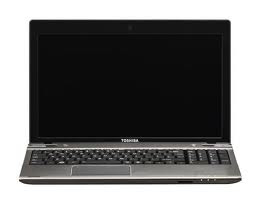
Screen size of 15.6 "and using HD technology-CSV (Clear Super View High Definition). You can view 3D content using glasses tapa. Graphics Card uses NVIDIA GeForce GT640M with 3D play.
Audio is used as the above series are superior, with low distortion, and the resulting sound quality is quite clear that it uses Sweeping Surround Sound. The design of this notebook is quite light and thin, and using Aluminium casing.
4.5
Friday, August 9, 2013
HP ProBook 5330m Notebook Review

Specifications HP ProBook 5330m :
- 13.3-inch HD anti-glare 720p (1366x768) with LED backlighting
- Windows 7 Professional 64-bit
- Intel Core i5-2520M dual-core processor (2.5GHz, 3 MB L3 cache)
- Intel QM67 chipset
- Integrated Intel HD Graphics 3000
- 4GB 1333MHz DDR3 RAM
- 500GB Hitachi 7200rpm hard drive (HTS725050A9A364)
- Broadcom 802.11 a/b/g/draft-n Wi-Fi adapter, gigabit Ethernet
- Bluetooth 2.1
- HP HD webcam
- 6-cell Li-ion battery (41Whr)
- Fingerprint reader
- Weight: 4.0 lb
- Dimensions: 12.91 x 8.86 x 1.00 inches
- 1-year limited warranty
- Price as configured: $899
The HP ProBook 5330m currently has a starting price of $799 with an Intel Core i3 processor but an extra $100 gets you the faster Core i5 processor included in our review unit.
Building and Design
Lets be honest. Anyone who thinks that the new HP EliteBook 5330m was not designed to compete directly with Apple 13-inch MacBook Pro is probably suffering from some kind of illusion. The 13.3-inch EliteBook 5330m combines the beauty of coated aluminum MacBook Pro with the enterprise features of Windows HP EliteBook.
The 5330m is less than 1 inch thick (if you do not have rubber feet on the bottom of the laptop) has a dual-tone colors, brushed aluminum chassis and a backlit keyboard and a company of HPs first laptop to offer " Beats Audio "software with enhanced audio playback from the speakers and headphones.
The ProBook 5330m has a 13.3 inch anti-glare screen (1366x768) and the second generation i-series Intel Core processors, including dual-core i5 i3 and variants. It has no internal optical drive, but weighs only 4.0 pounds.
Planning is a quantum leap above most ProBook HP Notebook PCs - which are mostly only a low-cost alternatives for enterprise-class line of HP EliteBook. 5330m to give you the strength aluminum construction combined with the bottom of magnesium alloy and coated with rubber, black paint similar to what you find is a Lenovo ThinkPad business-rugged notebooks.
The overall construction is exceptionally strong for a laptop that has a starting price of only $ 799. At first glance, the construction and design has a lot of drool worthy features for both computer geeks and computer users on average. Of course you can not have everything on a budget.
Ports and Features
Most laptops designed for business has an impressive number of ports so you can connect your computer to any number of devices. Unfortunately, HP did not understand that many ports in the 5330m ProBook designed for a limited budget of businesses and consumers. Of course, you can not get an integrated DVD player. The result is two USB 2.0 (three if you count the eSATA / USB 2.0), Ethernet, VGA, HDMI, SD card slot and headphone jack.
Gone are the days of an ExpressCard expansion slot, FireWire, or just the microphone and headphone jack. HP has decided to offer a DisplayPort to HDMI instead of the 5330m because consumers are increasingly likely to connect their portable consumer-type or HDTV monitor.
The only connection I am not disappointed with this port USB 3.0. USB 3.0 is the new USB standard, and we are seeing more and more external storage solutions and accessories make faster offered by this port. I realize that HP has a price of $ 899 or less, but this 5330m should be involved in USB 3.0.
Screen and speakers
ProBook 5330m is an anti-glare 13.3-inch HD 720p (1366x768) with LED backlight. HP does not offer alternative options screen at the time of writing. Most of our editors agree that 1600x900 and higher resolutions of 1920x1080 are preferable to larger screens, but 1366x768 is probably around the maximum resolution you want to pack on a screen 13-inch, assuming you actually care to read the text. Of course you can always get a screen resolution larger than 5330m or via the VGA or HDMI.
The main advantage of the anti-glare (matte) screen is that it reduces glare and makes the display suitable for outdoor sunlight. I must commend HP for this. Yes, the glossy screens have better contrast and color saturation is generally better, but laptops are made to be mobile, which means that people sometimes use outdoors. I wish more modern laptops come with anti-glare screens as standard.
Viewing angle is pretty average: Color and brightness as the right or when viewing pages, but tilt the screen forward or back more than 5 degrees, and you begin to notice color distortion and inversion. The contrast ratio is way low - we measured at 201:1, with a peak luminance of 152 nits in the center. This display device is great for working in Microsoft Office see an occasional movie, but youll probably want to connect an external monitor if you are color-critical.
HP borrowed from the Beats to the sound processing by the injured and put in a new ProBook 5330m to give this laptop a better sound. In fact, the 5330m stereo speakers sound a bit better than a typical micro-sized speakers can be found in laptops are designed for small and medium-sized enterprises. However, there is only so much you can do with the Beats Audio two speakers, which are smaller than the size of a dime.
The biggest problem we have is the location of high-quality audio speakers. Both speakers are on the lower front of a laptop instead of at the top of the keyboard, or beside the display. As a result, the sound is directed upward and toward you.
In fact, if you use the 5330m that the "portable", so the sound is muffled against his legs. Similarly, if you decide to use your laptop in bed, then an entry is deleted. That said, if you use the 5330m on the table sound "bounce" off a desk hard surface and you can feel good.
The keyboard and touchpad
HP ProBook 5330m is chiclet-style keyboard with extra keys for the interim to help prevent typos are physically smaller, like the portable 13-inch laptop. The keys are flat and subdued texture. Key mobile and throws are excellent, it is usually very easy to write, and is a very nice experience. The structure is a platform so that the keyboard flexes under high pressure to enter. Fortunately, the HP with its own page, page down, end and home keys on the right side of the keyboard.
As you can see in the pictures above, HP has given the 5330m with a backlit keyboard for easier typing in dark environments, such as a meeting room for a PowerPoint presentation or when you are on a flight in the afternoon. My only complaint about the backlit keyboard is that there is a significant amount of light to "bleed" around each key.
This contributes to the overall visibility in darkened rooms, but can also be detrimental at times. I hope HP is deducted from the edge set of keys to block too much light or backlit keyboard made adjustable. As it is now, you can turn the keyboard backlight on or off (you can adjust the brightness to your liking).
Given that the 5330m is clearly "inspired" by Apple MacBook Pro, Im a little surprised that the Synaptics touchpad is so small. It is larger than the touchpad on the HP EliteBook 2560p, but it is not large enough to be as "convenient", as the touchpad on the MacBook Pro. The touchpad surface is very smooth and easy to use, even if the hand is wet by holding a drink. The touchpad buttons dedicated left and right very well with soft, cushioned clicks.
Performance and benchmarks
Our review unit ProBook 5330m has an Intel Core i5-2520m dual-core processor (2.5 GHz, 3.2 GHz Turbo Boost up, 3 MB L3 cache), Integrated Intel HD 3000 graphics and 4 DDR3 RAM at 1333MHz. System performance is quite good, with a combined speed and multitasking capabilities on or near the top of his class.
Its performance is as good or better than the Lenovo ThinkPad X1 (a 13-inch business / consumer laptop designed to be worthy of lust for PC users). The ProBook 5330m seems an even better deal when you consider that the 5330m is only slightly more expensive than the HP Pavilion dm3t, but is basically twice as fast with four times the graphics power, all in a stronger chassis.
The system is compatible with 720p HD video very well, but when connecting to an external monitor ProBook who had left a few pictures during playback of 1080p in some file formats. The 500 GB hard drive 7200 rpm rotation speed is reasonably fast Hitachi PC for basic work, but we have seen much faster than hard drives in other HP laptops.
Heat and noise
While HP has done a lot better in terms of heat management in his notebooks, won 5330m ProBook unusually hot during certain periods of our review. Typical of inactivity or web browsing temperatures remained below 90 degrees Fahrenheit, but the bottom of the laptop maximum temperatures above 100 degrees Fahrenheit when we stressed the system with our tests.
The palmrests and aluminum upper deck of the laptop kept cool, but the basic magnesium alloy has finished most of the radiant heat. The fan was only noticeable when the laptop was achieved time high and the fan operating at maximum speed to push heat away from the basic components.
Battery Life
ProBook 5330m delivered a decent life of the battery during our battery of standard tests. Our review of the notebook has a standard 6-cell 41Whr Lithium-polymer battery. The battery is located behind the front quick release on the bottom of the notebook so you can change the battery when you are on the road, but because it is inside the laptop behind the base plate you can use a higher capacity battery.
During the test we set the screen brightness to 70%, turn the Wi-Fi active (updating a web page every 60 seconds) and set up Windows 7, the profile of a balanced diet. The notebook is left for 5 hours and 21 minutes. This is quite close to "5 hours and 30 minutes" of battery life required on the HP Web site. In short, the battery is good, but not as impressive as what we have seen with other 13-inch notebook.
Conclusion
At the end of the workday, the HP EliteBook 5330m is the type of mobile phone business, you will be happy to take home. For only $ 799 or $ 899, you get a notebook fully equipped with rugged construction, good performance of the keyboard with LED backlight Nice.
Of course, you know what price is required to accept the limited configuration options, restricted gates, and the average (but still correct) the battery life. I was not too happy to see how hot the bottom of this laptop is when running graphics intensive tasks, but HP is giving you a lot of PC for a relatively small amount of cash.
For a laptop that was designed (at least in part) to be a cheaper alternative to the Windows 13-inch MacBook Pro is 5330m ProBook a pretty impressive machine. I really recommend this laptop on Lenovo ThinkPad X1 (probably the king of the hill between the Windows PC in this class).
Thursday, August 8, 2013
Eurocom adds GeForce GTX 580M Panther 3 0 notebook Review

The Eurocom Panther series offers the most versatile and the most upgradeable high performance notebook form factor solution available on the market. It offers the functionality of a high end notebook, Mobile Workstation or Mobile Server depending on configuration. With Nvidia’s new GeForce GTX 580M we offer another level of high performance GPU upgradeability," said Mark Bialic, Eurocom President.
The GTX 580M features 384 CUDA Cores clocked at up to 1240 MHz, a 256-bit memory interface and 2GB of GDDR5 VRAM set to 3000 MHz. A single card will add $591 to the price tag of the Panther 3.0, while the SLI package (two cards) will increase the notebooks cost by $1,400.
Eurocoms GTX 580M-ready Panther (server on-the-go) can also be equipped with a quad- or hexa-core Intel Xeon processor, up to 24GB of RAM, and up to four hard drives or solid state drives (for a maximum of 3TB in storage space). Source; {www.tcmagazine.com}

Wednesday, August 7, 2013
MSI GT780R notebook Review Spec
MSI GT780R notebook
MSI GT780R notebook comes with a powerful processor of Intel Core i7 models i7-2630QM the speed of the processor at 2.0 GHz technology, Turbo Boost can increase speed up to 2.9 GHz matched with the video card is brutal. the latest from NVIDIA and NVIDIA GeForce GTX 560M 17.3 inch display screen with Full HD resolution ever. RAM is provided for guests 12 GB DDR3 HDD to 1.5 TB to RAID 0 is just the Optical Drive is a Blu-Ray supports both read and write webcam that is not an HD two shining eyes and the other to the port. the battery was completely different from what it is made of 9 Cells Keyboard SteelSeries particular.


| MSI GT780R : Specification | |
| Processor | |
| CPU | Intel Core i7-2630QM (2.0 GHz, 6 MB L3 Cache, up to 2.90 GHz) |
| Chipset | Mobile Intel PM67 Express Chipset |
| Graphic system | |
| Graphic Chip | nVidia GeForce GTX 560M (1.5 GB GDDR5) |
| Display | |
| Type | 17.3 inch WUXGA (1920x1080) LED |
| Main Memory | |
| Memory | 12 GB DDR3 |
| Hard Disk Drive | |
| Hard Disk | 1.5 TB (750 GB 7200 RPM x2 |
| Optical Disc Drive | |
| Drive | Blu-ray Disc Drive |
| Web Camera | |
| Details | HD 720p Webcam |
| Port & Interface | |
| USB2.0 | 2 |
| USB3.0 | 3 |
| Firewire | No |
| DVI | No |
| D-Sub/VGA | Yes |
| e-SATA | Yes |
| HDMI | Yes |
| Card Reader | 4-in-1 |
| Express Slot | Yes |
| Finger Print | No |
| Connection | |
| Wireless Lan | IEEE 802.11 b/g/n |
| Bluetooth | Yes |
| LAN | Yes |
| Modem | No |
| Battery | |
| Details | Li-ion 9 Cell Battery |
| Weight | |
| Details | 3.90 Kg. |
| Operating System | |
| OS Bundle | DOS Operating System |
| Warranty | |
| Details | 2 Y. |
Sunday, August 4, 2013
Dell Vostro V131 Notebook Review

Dell launched a thin line and mobile business in its range of entry level Vostro with V130. It is also supposed to convince in terms of design. Intel beach powerful bridge follow the first tests with ULV processors. Some changes were made also in the case. As its name suggests, the new Vostro V131 is an update of Dell Vostro V130. Slight modifications were made to the case and completely renovated inside.
Thanks to the latest processors Sandy Bridge, the Vostro V131 is now equal to 14 desktops and 15 inches in terms of performance. However, it also increases energy consumption, with Dell now wants to dominate with a 6 cell battery replaceable. Its a shame: it exceeds a little outside the box and lifts the handset on the back of a centimeter.
Specifications Dell Vostro V131 :
Looking at the entire case, one can hardly find any appreciable change. A simple case depth is increased by 8 mm according to the glasses. But with the naked eye is not that really stands out. Dell says the laptop have a maximum height of 21 mm. It is not entirely correct, because the battery out for about 10 mm on the bottom of a laptop in this area.
This is not a significant effect when used on a table and bottom of the base may also be able to treat the waste without even better. However, you must get along with the arms bulging battery of the wireless network. Even if the base would be helpful.
Your V131 looks almost exactly like its predecessor. The concept of enclosing the metal parts will still be a high value recognition. But the V131 is not just your score for its look and feel, will also benefit the stability of surrounding metal parts. Just as the bottom cover and the base of the screen to face a highly selective pressure.
Warping can remain within the limits of both parties. However, a clear admit your loss, as the face of Apple MacBook Air, 13, who was also the seat back in time - and that even if the air is only half as thick as your.
The opening mechanism is substantially preserved. Thus, the hinges are installed behind the screen where the case is high. Thus, the display closest to the customer than they are with traditional solutions. Although the metal hinges to give a strong impression that they can not stop the screen quite heavily on the brink. It was a rather unpleasant trial, particularly when using an unstable surface, such as directly on your lap.
Finally, we would like to deal with the weight. The new V131 adds to your weight of 1850 grams of 6-cell battery, which is a standard configuration in Europe. Your V130 was then about 200 grams lighter than 1638 grams.
Once again we look beyond the horizon, for example, we see the Samsung 13-inch Premium 900X3A, £ 1.35, and the Apple MacBook Air 13 with 1.33 pounds of the best classes. Sony Vaio is pretty close to your SA2Z with 1.65 pounds. The first standard Dell Inspiron 3350 is not only thicker (up to 29 mm), it is also much heavier than the V131 with 2.19 pounds.
Connections
Dell has made a significant improvement in the interfaces. V130 three USB 2.0 ports have been replaced by two Super Speed USB 3.0 ports and one USB 2.0 port, which can supply power to external devices when the notebook is off. Your yet installed the VGA and HDMI video connections. There is no docking port.
There have been some changes in the agreement because of the battery port. With the exception of the takeover and Kensington slot, all ports were moved to the side edges and stay comfortably in the back region. This should keep the obstructions caused by the wires connected inside. Move the card reader from left to right and still no optical drive.
Exchange of information, your 131 has a LAN port (Realtek Gigabit Ethernet), wireless (Intel Wireless N1030), Bluetooth 3.0 + HS, and, if desired, even for mobile broadband Internet (Dell 5550). Integrated UMTS modem costs about $ 100 extra.
While the SIM card slot is still relevant easily accessible on the front of the Vostro V130, had to move to cool.
The Vostro V131 also offers a wide range of security features such as a company of input devices. The fingerprint reader included in the scope of products and services offered to name one example.
However, many of the security services of the available data (Trendmicro Worry Free, DataSafe Online Backup) and support services (up to three years of service with in-situ ProSupport next business day, the optional Accidental Damage Protection). In the three years of service rather than a difference of 160 euros net of the standard warranty of 12 months.
Display
The specifications of the screen set was maintained (13.3 inch, 1366x768 pixels, mat. But the ID screen of our test unit deviates from the V130 built-in display (AUO312C). For example, Dell installs new components here.
Unlike your V130, V131, unfortunately, your lost about 15% of its maximum brightness of 185 cd/m2 and the center of the screen. The new display is an average of 170 cd/m2. Lighting 82% is still good.
V130 was not a model, which has a contrast ratio up to 144:1. The V131 is not much better: 165:1 to black value of 1.12 cd/m2. These figures are also likely to be responsible for our only moderate overall subjective impression of the color reproduction. This is just a small problem with office tasks, but the media is suffering from a case.
Reproducible color space differs from the screen than its predecessor, but it plays basically the same series. sRGB is clearly unattainable, which is not bound to decline, with the exception of professional photo editing and graphics.
This applies as soon as you venture to the Vostro V131. You must accept a greater or lesser degree change and loss of brightness depending on the viewing angle on the screen and the position of the sun when the sun provides ambient light. Anti-reflective surface can effectively prevent the light from the field, but the brightness is not enough to provide a perfect outdoor use in any situation.
The screen installed could not impress us with respect to viewing angle stability, either. Work areas show very narrow, especially along the vertical plane of vision. Therefore, the angle of inclination must often be adjusted by mobile use. As usual, the screen is better on the horizontal plane. But the narrow viewing angles also cause increased loss of contrast here.
Performance
One of the most important points in the catalog to update the Vostro V131 is likely that the new hardware. ULV processors Arrandale after his predecessor, Vostro V130, the latest Intel sand range jumper is done in the new V131 - that is, regular 35W TDP chip.
The only remains are ULV Intel Celeron 847 CPU. It is clearly behind the choice of selecting a core clock of 1.1 GHz and turbo functions: i3-2310M (130 €) and i5-2410M (180 €).
Main memories are also moving faster on the new Vostro V131 with Sandy Bridge. The Vostro has a capacity of 8 GB of memory in two banks of the model (2x4096MB) DDR3 1333MHz. The basic configuration of 2 GB only in the online configurator is not far off, however.
You are well equipped with 4 GB (90 €) today. 8 GB makes sense for special applications (190 €). A brief description of current market prices for Module 4 GB of 1333 MHz (new) question the policy of additional Dell.
The corresponding components can be purchased for from (gross) 20 euros and simple even for inexperienced users, introduced by keeping the lid on the bottom of the unit.
Processor: Intel Core i5-2410M
Our test car was equipped with the strongest available to the V131 your CPU, Intel Core i5-2410M chip is classified as a mid-range processor, the Intel portfolio. However, it includes the most important and useful to the latest range of Sandy Bridge Hyper Threading and Turbo Boost 2.0. The basic CPU clock of 2.3 GHz, but not automatically clocked up to 2.9 GHz under load.
They alternately available i3-2310M processor is the gateway to Sandy Bridge range dual core standard. In addition to the basic clock lower than 2.1 GHz, particularly distinguished himself with his lack of turbo boost. You are better off with the chip i5 in high performance applications. But Intel Core i3 is sufficient for undemanding office use. You can find a comprehensive comparison of the new Intel dual core here.
Unfortunately, we have no solid comparative data on the Celeron 847. According to the model number of the chip, it is on par with the old Intel i3 330UM. This equates to loss of performance was higher than 50% compared to the Core, and I processors.
The test of Cinebench benchmark we executed for i5-2410M is in low-end laptop with a Core i5-2410M. This could be a sign that the CPU turbo not operated at its maximum. When we look at the clock in the CPU Cinebench R10 rendering test single-core, the frequency of both cores are typically 2.7 GHz. CPU does not perform several times its maximum clock of 2.9 GHz for a split second. Both cores were constant at 2.7 GHz for multi-core test.
We go to the application benchmarks. They evaluated our your V131 to test the system as a whole, including all components installed. We reach the composition of the excellent 7736 points PCMark Vantage, and moves well in the first third of all notebooks weve tested.
Youll find machines like the HP EliteBook 8460p is a powerful AMD processor i7 2610m and 6470M HD graphics (7734 points), or the Lenovo ThinkPad T420 also i7 Processor 2620m (7845 points) in the immediate vicinity. Dell V130 with an Intel 470UM managed only 3813 points in the test itself. So, V131 can more than double the performance of its reserves in its current configuration.
The last 7 PCMark 2359 Vostro V131 rewarded with good points and also starts at the front. In comparison: Toshiba Satellite 2936 R830 comes to points with the same processor, but installed the solid state drive (SSD) is compatible with a large amount in this case. Lenovo ThinkPad E320 Edge with i3-2310M processor accused clearly behind with 2009 points.
Western Digital hard drive WD5000BPKT installed in our unity gives us a taste of its performance with 4900 points in PCMark Vantage score. It is the current standard portfolio model V131 Vostro 7200 rpm. Dell no longer wish to use the models otherwise still normal 5400 rpm.
However, there are SSD faster to choose from. A 128 GB model is not identified can be selected for an extra € 220 instead of a hard disk 320GB/7200 rpm. More than 256 GB model is also expected to be available.
Back to our WD5000BPKT hard drive. Support data transfer rate reached an average of 88.9 good MB / s in the HDTune benchmark test. However, the access speed of 21.1 milliseconds remained very high, of course, below the level of a 7200 rpm hard drive.
Vostro V131 is not really suited for gaming with Intel Graphics HD 3000 graphics solution. However, one game at least equal in low and medium graphic details. More information about the games that work on the graphics card HD 3000 can be found in our Comparison of mobile graphics cards games.
Thanks to the latest processors Sandy Bridge, the Vostro V131 is now equal to 14 desktops and 15 inches in terms of performance. However, it also increases energy consumption, with Dell now wants to dominate with a 6 cell battery replaceable. Its a shame: it exceeds a little outside the box and lifts the handset on the back of a centimeter.
Specifications Dell Vostro V131 :
- Processor : Intel Core i5 2410M 2.3 GHz
- Mainboard : Intel HM67
- Memory : 4096 MB, DDR3 1333MHz, max 8GB
- Graphics adapter : Intel HD Graphics 3000
- Display : 13.3 inch , 1366x768 pixel, AUO312C, LED Backlit LCD, glossy: no
- Harddisk : WD5000BPKT-75PK4T0, 500GB 7200rpm
- Soundcard : HD Audio
- Connections : 1 USB 2.0, 2 USB 3.0, 1 VGA, 1 HDMI, 1 Kensington Lock, Audio Connections: headphone/microphone combo socket, Card Reader: 8in1 card reader (SD, SDXC, SDHC, MS, MS-Pro, MMC, MMC+, xD-Picture Card), 1 Fingerprint Reader
- Networking : Realtek PCIe GBE Family Controller (10/100/1000MBit), Intel Centrino Wireless-N 1030 (bgn), 3.0+HS Bluetooth, optional (Dell Wireless 5550 HSPA Mini Card)
- Size : height x width x depth (in mm): 21 x 330 x 238
- Weight : 1.85 kg Power Supply: 0.35 kg
- Battery : 65 Wh Lithium-Ion
- Price : 780 Euro
- Operating System : Microsoft Windows 7 Professional 64 Bit
- Additional features : 12 Months Warranty
Looking at the entire case, one can hardly find any appreciable change. A simple case depth is increased by 8 mm according to the glasses. But with the naked eye is not that really stands out. Dell says the laptop have a maximum height of 21 mm. It is not entirely correct, because the battery out for about 10 mm on the bottom of a laptop in this area.
This is not a significant effect when used on a table and bottom of the base may also be able to treat the waste without even better. However, you must get along with the arms bulging battery of the wireless network. Even if the base would be helpful.
Your V131 looks almost exactly like its predecessor. The concept of enclosing the metal parts will still be a high value recognition. But the V131 is not just your score for its look and feel, will also benefit the stability of surrounding metal parts. Just as the bottom cover and the base of the screen to face a highly selective pressure.
Warping can remain within the limits of both parties. However, a clear admit your loss, as the face of Apple MacBook Air, 13, who was also the seat back in time - and that even if the air is only half as thick as your.
The opening mechanism is substantially preserved. Thus, the hinges are installed behind the screen where the case is high. Thus, the display closest to the customer than they are with traditional solutions. Although the metal hinges to give a strong impression that they can not stop the screen quite heavily on the brink. It was a rather unpleasant trial, particularly when using an unstable surface, such as directly on your lap.
Finally, we would like to deal with the weight. The new V131 adds to your weight of 1850 grams of 6-cell battery, which is a standard configuration in Europe. Your V130 was then about 200 grams lighter than 1638 grams.
Once again we look beyond the horizon, for example, we see the Samsung 13-inch Premium 900X3A, £ 1.35, and the Apple MacBook Air 13 with 1.33 pounds of the best classes. Sony Vaio is pretty close to your SA2Z with 1.65 pounds. The first standard Dell Inspiron 3350 is not only thicker (up to 29 mm), it is also much heavier than the V131 with 2.19 pounds.
Connections
Dell has made a significant improvement in the interfaces. V130 three USB 2.0 ports have been replaced by two Super Speed USB 3.0 ports and one USB 2.0 port, which can supply power to external devices when the notebook is off. Your yet installed the VGA and HDMI video connections. There is no docking port.
There have been some changes in the agreement because of the battery port. With the exception of the takeover and Kensington slot, all ports were moved to the side edges and stay comfortably in the back region. This should keep the obstructions caused by the wires connected inside. Move the card reader from left to right and still no optical drive.
Exchange of information, your 131 has a LAN port (Realtek Gigabit Ethernet), wireless (Intel Wireless N1030), Bluetooth 3.0 + HS, and, if desired, even for mobile broadband Internet (Dell 5550). Integrated UMTS modem costs about $ 100 extra.
While the SIM card slot is still relevant easily accessible on the front of the Vostro V130, had to move to cool.
The Vostro V131 also offers a wide range of security features such as a company of input devices. The fingerprint reader included in the scope of products and services offered to name one example.
However, many of the security services of the available data (Trendmicro Worry Free, DataSafe Online Backup) and support services (up to three years of service with in-situ ProSupport next business day, the optional Accidental Damage Protection). In the three years of service rather than a difference of 160 euros net of the standard warranty of 12 months.
Display
The specifications of the screen set was maintained (13.3 inch, 1366x768 pixels, mat. But the ID screen of our test unit deviates from the V130 built-in display (AUO312C). For example, Dell installs new components here.
Unlike your V130, V131, unfortunately, your lost about 15% of its maximum brightness of 185 cd/m2 and the center of the screen. The new display is an average of 170 cd/m2. Lighting 82% is still good.
V130 was not a model, which has a contrast ratio up to 144:1. The V131 is not much better: 165:1 to black value of 1.12 cd/m2. These figures are also likely to be responsible for our only moderate overall subjective impression of the color reproduction. This is just a small problem with office tasks, but the media is suffering from a case.
Reproducible color space differs from the screen than its predecessor, but it plays basically the same series. sRGB is clearly unattainable, which is not bound to decline, with the exception of professional photo editing and graphics.
This applies as soon as you venture to the Vostro V131. You must accept a greater or lesser degree change and loss of brightness depending on the viewing angle on the screen and the position of the sun when the sun provides ambient light. Anti-reflective surface can effectively prevent the light from the field, but the brightness is not enough to provide a perfect outdoor use in any situation.
The screen installed could not impress us with respect to viewing angle stability, either. Work areas show very narrow, especially along the vertical plane of vision. Therefore, the angle of inclination must often be adjusted by mobile use. As usual, the screen is better on the horizontal plane. But the narrow viewing angles also cause increased loss of contrast here.
Performance
One of the most important points in the catalog to update the Vostro V131 is likely that the new hardware. ULV processors Arrandale after his predecessor, Vostro V130, the latest Intel sand range jumper is done in the new V131 - that is, regular 35W TDP chip.
The only remains are ULV Intel Celeron 847 CPU. It is clearly behind the choice of selecting a core clock of 1.1 GHz and turbo functions: i3-2310M (130 €) and i5-2410M (180 €).
Main memories are also moving faster on the new Vostro V131 with Sandy Bridge. The Vostro has a capacity of 8 GB of memory in two banks of the model (2x4096MB) DDR3 1333MHz. The basic configuration of 2 GB only in the online configurator is not far off, however.
You are well equipped with 4 GB (90 €) today. 8 GB makes sense for special applications (190 €). A brief description of current market prices for Module 4 GB of 1333 MHz (new) question the policy of additional Dell.
The corresponding components can be purchased for from (gross) 20 euros and simple even for inexperienced users, introduced by keeping the lid on the bottom of the unit.
Processor: Intel Core i5-2410M
Our test car was equipped with the strongest available to the V131 your CPU, Intel Core i5-2410M chip is classified as a mid-range processor, the Intel portfolio. However, it includes the most important and useful to the latest range of Sandy Bridge Hyper Threading and Turbo Boost 2.0. The basic CPU clock of 2.3 GHz, but not automatically clocked up to 2.9 GHz under load.
They alternately available i3-2310M processor is the gateway to Sandy Bridge range dual core standard. In addition to the basic clock lower than 2.1 GHz, particularly distinguished himself with his lack of turbo boost. You are better off with the chip i5 in high performance applications. But Intel Core i3 is sufficient for undemanding office use. You can find a comprehensive comparison of the new Intel dual core here.
Unfortunately, we have no solid comparative data on the Celeron 847. According to the model number of the chip, it is on par with the old Intel i3 330UM. This equates to loss of performance was higher than 50% compared to the Core, and I processors.
The test of Cinebench benchmark we executed for i5-2410M is in low-end laptop with a Core i5-2410M. This could be a sign that the CPU turbo not operated at its maximum. When we look at the clock in the CPU Cinebench R10 rendering test single-core, the frequency of both cores are typically 2.7 GHz. CPU does not perform several times its maximum clock of 2.9 GHz for a split second. Both cores were constant at 2.7 GHz for multi-core test.
We go to the application benchmarks. They evaluated our your V131 to test the system as a whole, including all components installed. We reach the composition of the excellent 7736 points PCMark Vantage, and moves well in the first third of all notebooks weve tested.
Youll find machines like the HP EliteBook 8460p is a powerful AMD processor i7 2610m and 6470M HD graphics (7734 points), or the Lenovo ThinkPad T420 also i7 Processor 2620m (7845 points) in the immediate vicinity. Dell V130 with an Intel 470UM managed only 3813 points in the test itself. So, V131 can more than double the performance of its reserves in its current configuration.
The last 7 PCMark 2359 Vostro V131 rewarded with good points and also starts at the front. In comparison: Toshiba Satellite 2936 R830 comes to points with the same processor, but installed the solid state drive (SSD) is compatible with a large amount in this case. Lenovo ThinkPad E320 Edge with i3-2310M processor accused clearly behind with 2009 points.
Western Digital hard drive WD5000BPKT installed in our unity gives us a taste of its performance with 4900 points in PCMark Vantage score. It is the current standard portfolio model V131 Vostro 7200 rpm. Dell no longer wish to use the models otherwise still normal 5400 rpm.
However, there are SSD faster to choose from. A 128 GB model is not identified can be selected for an extra € 220 instead of a hard disk 320GB/7200 rpm. More than 256 GB model is also expected to be available.
Back to our WD5000BPKT hard drive. Support data transfer rate reached an average of 88.9 good MB / s in the HDTune benchmark test. However, the access speed of 21.1 milliseconds remained very high, of course, below the level of a 7200 rpm hard drive.
Vostro V131 is not really suited for gaming with Intel Graphics HD 3000 graphics solution. However, one game at least equal in low and medium graphic details. More information about the games that work on the graphics card HD 3000 can be found in our Comparison of mobile graphics cards games.
Monday, July 22, 2013
ACER ASPIRE 2920 Notebook Review Spec
ACER ASPIRE 2920
Acers Aspire range is aimed at buyers seeking high-performance components at affordable prices. The Aspire 2920 (£599 inc. VAT) is one of the lightest, cheapest and best specified laptops around and provides strong mobility and great value for money.
Designed by BMW Designworks, the chassis is strong and stylish. The glossy lid is less prone to scratching than the Samsung Q45, but still needs protection when travelling. Its 2.1kg weight almost qualifies as an ultraportable and its 192-minute battery life suits frequent travel.
The keyboard and touchpad provide strong usability. Some keys on the right side of the board are smaller than preferable, but the main keys are all large and smooth to type on. The large and responsive touchpad is equally usable and makes it easy to manoeuvre onscreen.
The 12.1-inch screen is smaller than some of its rivals, but provides outstanding image quality. Its glossy Super-TFT coating enhances colour and contrast and is ideal for basic photo editing. The widescreen aspect ratio is also great for spreadsheet work and watching movies.
All ports are arranged on either side of the chassis for easy access. The three USB ports are clearly labelled on the top of the chassis, so you can easily connect peripherals. VGA and S-Video analogue connectivity is provided, but you cant connect to external digital displays.
Other model
Acer Aspire
Acer Travelmate
Acer Travelmate


| Acer Aspire One A110-AW : Specification |
| Processor |
| Intel Core 2 Duo T8300 (2.4 GHz, Bus 800 MHz, L2 3 MB) |
| Operating System |
| Windows Vista™ Home Premium |
| RAM |
| DDR2-667 2 GB (Single Channel) |
| Graphics card |
| Intel GMA X3100 On Board |
| Screen type |
| WXGA Acer CrystalBrite |
| Screen resolution |
| 1280x800 |
| Screen size |
| 12.1 |
| Screen features |
| TFT LCD |
| Hard drive |
| 250GB HDD (5400rpm) |
| Memory card reader |
| SD, MMC, MS, MS Pro |
| USB |
| USB 2.0 X 3 |
| WiFi |
| Bluetooth |
| Bluetooth 2.0 + EDR |
| Video interface |
| Sound |
| Dolby Home Theater Audio |
| Webcam |
| Size |
| Weight |
| 2.3 kg. |
Sunday, July 21, 2013
Acer Aspire 4730ZG 341G25Mn C018 Notebook Review Spec
Acer Aspire 4730ZG-341G25Mn/C018
The 14.1” screen is really nice. The contrast is good enough to make digital photo really pop from the screen, and the text is big enough to read without having to lean in toward the screen.
Graphics are on-board (as are most laptops), and so far it seems to be holding up very well. I haven’t decided whether or not to shoehorn World of Warcraft of the system yet (I might do it as a test), so I don’t know what the 3d capabilities of the computer are. It also has a VGA out, so I could hook up a monitor to it to use externally. Up to 1536MB ATI Mobility Radeon HD3470 HyperMemory. Anyway just to give you a rough idea of the performance in Intel graphic cards, my laptop has Intel 4500MHD. Can play Warcraft 3 smoothly at 1280 x 768 resolution.
Can play Left 4 Dead at 640x480 but quite laggy. When there is incoming attack, the game will be too laggy to be playable. But when going through areas which are empty, it is smooth.So,with ATI technology it could be more than that....
Other model
Acer Aspire
Acer Travelmate
Acer Travelmate


| Acer Aspire 4730ZG-341G25Mn/C018 : Specification | |
| Processor | |
| Details | Intel Core Duo T3400 (2.16 GHz, 1 MB L2 Cache, 667 MT/s FSB) |
| Operating System | |
| Details | Linpus Linux |
| RAM | |
| Details | 1 GB DDR2 |
| Graphics card | |
| Details | ATI Radeon HD3470 |
| Screen type | |
| Details | WXGA |
| Screen resolution | |
| Details | 1280x800 |
| Screen size | |
| Details | 14.1 inch |
| Screen features | |
| Hard drive | |
| Details | 250 GB 5400 RPM |
| Memory card reader | |
| Details | 5 in 1 |
| USB | |
| Details | 2 x USB 2.0, |
| Bluetooth | |
| Details | v3.0 |
| Video interface | |
| Details | VGA, HDMI |
| Webcam | |
| Details | Acer Crystal Eye webcam |
| Weight | |
| Details | 2.50 Kg. |
Friday, July 19, 2013
Hypersonic Aviator SR7 R2 Notebook Review

This masterful machine boasts a powerful Intel Core 2 Duo T9300 2.50GHz processor with a 6MB L2 cache, 2GB of Dual Channel DDR2-667 memory expandable to 4GB, and a 250GB 5400RPM SATA HDD. And all the actions going to be crystal-clear in dazzling detail across the Hypersonic Aviator SR7-R2s brilliant WUXGA full high-definition display. Plus, this 8.35-pound gaming notebook carries an awesome NVIDIA GeForce 8800M GTX graphics processor with 512MB GDDR3 Video Memory that features DirectX 10-compatible PCI-Express 16X dual-view display capability! The Hypersonic Aviator SR7-R2 also features an 8X DVD R/RW + 4x dual layer combo drive, and absolutely spectacular sound thanks to its Intel high-definition audio interface and SRS WOW Surround Sound technology with S/PDIF digital output 7.1 channel, built-in microphone, 2 built-in speakers and subwoofer. You just cant beat this notebooks communications command center, including 802.11a/g/n wireless LAN, Bluetooth V2.0, and built-in 2.0MP digital video camera! Other innovative features include a full-sized keyboard with numeric key pad and Windows Hot Keys, DVI output (supports Dual link), IEEE-1394 FireWire, S-Video TV-out, built-in TV tuner with Media Center remote, built-in 7-in-1 card reader, and much more (please see complete specifications below). Plus, the Hypersonic Aviator SR7-R2 comes with superb security enhancements with a Kensington Lock and built-in Fingerprint Reader. This is simply the best gaming notebook value in the industry! Get all the fantastic features of the most formidable gaming desktop in the compact yet powerful Hypersonic Aviator SR7-R2 Notebook PC. But youd better hurry this is one of the most hotly demanded products weve ever carried, and supplies are limited.
Saturday, July 13, 2013
Packard Bell EasyNote NX69 HR 127GE Notebook Review

But the NX69 is not only a Dazzler. Technical awakens curiosity, bringing the price much less than 700 €. Nvidia GeForce 2410M Intel Core i5 GT alongside the 540, although the 14 inches makes it a powerful and strong player. Discover the pros and cons, we found that the Packard Bell NX69-HR-127GE our full review.
Specifications Packard Bell EasyNote NX69-HR-127GE :
- Processor : Intel Core i5 2410M 2.3 GHz
- Mainboard : Intel HM65
- Memory : 4096 MB, PC3-10700 667MHz Elpida
- Graphics adapter : NVIDIA GeForce GT 540M - 1024 MB, Core: 672 MHz, Memory: 900 MHz, DDR3, ForceWare 268.00
- Display : 14 inch 16:9, 1366x768 pixel, LG Display LP140WH6-TJA1
- Harddisk : WDC WD5000BPVT-22HXZT1, 500GB 5400rpm
- Soundcard : Intel Cougar Point PCH - High Definition Audio Controller
- Connections : 2 USB 2.0, 1 USB 3.0, 1 VGA, 1 HDMI, 1 Kensington Lock, Audio Connections: line out/SPDIF, microphone, Card Reader: SD/MMC/MS/MS-Pro/xD/SDX
- Networking : Atheros AR8151 PCI-E Gigabit Ethernet Controller (10/100/1000MBit), Atheros AR5B97 Wireless Network Adapter (bgn), 3.0+HS Bluetooth
- Optical drive : MATSHITA DVD-RAM UJ8A2AS
- Size : height x width x depth (in mm): 28.7 x 329.4 x 227.3
- Weight : 2.089 kg Power Supply: 0.391 kg
- Battery : 60 Wh Lithium-Ion, 6000mAh
- Operating System : Microsoft Windows 7 Home Premium 64 Bit
- Additional features : Webcam: 1.3MP, multi-purpose mouse pad, Photoshop Elements 9, Nero 9, 24 Months Warranty, aluminum lid
Those who want to show a little luxury EasyNote NX69 seems to be fulfilled. Matte surfaces do an adequate job at the same time feeling of elegance. The 14 incher is presentable in touch with customers, on the one hand, and can be put in private value of the other.
We can not give NX69 called "light". However, with 2089 grams (4.6 lb), plus 391 grams (0.86 lb) with the adapter, the 14-inch 300 grams (0.66 lb) lighter than the Asus X43SV (14 ") or 50 g (0.11 pounds) lighter than the weight Aspire 4830TG is quite high for a 13.3-inch -. and that is exactly the size we have to do with Dell Vostro V130 (13.3 ") which is completely covered of aluminum was significantly brighter with 1.63 kg, Aspire One weighs just 3830TG 1.89 kg (3.5 kg). But we are not sorry to Packard Bell weight as a long (built) 6000 mAh simply a heavy weight.
The user can enjoy high-end surfaces of the box. The hinges are firm and secure grip on the top and do not tend to fail. The maximum opening angle of 150 degrees is perfect for portable use. One hand is required to open the lid - the basic unit is quite heavy at the table alone.
You can only make the base a bit when taken with both hands at his side. The plastic base plate does not have any openings, even for the RAM. This is unfavorable for the update, but very favorable for the stability of the base compact. The pressure may lead to blows in the area of the optical drive.
Wrist Support Pad prove to be very rigid. Hands do not slip on the larger areas and not to leave fingerprints in silver.
Connectivity
Interfaces are not one of the strengths EasyNote NX69. The three USB ports, one is USB 3.0, is sufficient for printer, mouse or USB hard drive. eSATA, ExpressCard34/54 or even a docking port is not installed. External monitors can be connected via HDMI or VGA.
The location can not counter the cable clutter. VGA and HDMI cables are heavy unfortunately the left frontal region. The cables can get in the way of a left-handed mouse. At least the Ethernet port is located at the extreme right rear, so that cables can easily be diverted from the work area. Unfortunately, the USB 3.0 port on the right is way ahead. External hard drives or other USB 3.0 devices that are permanently connected to collide with a mouse right-handed.
Communication
In addition to Project N WLAN (Atheros AR5B97), Bluetooth 3.0 + HS is also installed in wireless technology NX69. Atheros AR8151 Driver The Gigabit Ethernet can transfer data as fast as possible. An internal module for HSPA mobile Internet access would have been the highlight.
Software
There is no recovery DVD for Windows 7 Home Premium included (64 bits). Therefore, buyers to create their own image data carrier with MyBackup. Packard Bell notebooks includes the full version of Adobe Photoshop Elements 9 as usual. Nero 9, a complete package for burning DVD / CD and video single and image editing are also included. Social networking is a request for access to Facebook, Flickr or YouTube at a time. The keyboard has its own key to start the program.
Features
Mobile devices such as smartphones or hand-helds can be recharged via USB 3.0 without turning on the EasyNote NX (battery icon in the harbor).
Guarantee
The manufacturers warranty is 24 months. The extended warranty is a PB grades 3 year warranty that can be purchased for € 69. It covers accidental damage insurance. Additional charges for shipping, labor and parts are covered. The laptop will be picked up.
Input Devices
Keyboard
The keys are spaced on a bed of silver plastic mat. The keystrokes are flush with the surface, which facilitates cleaning. Since there is no numeric keypad, the design is generous. The enter key, space and back are very large and the arrow keys are clearly separated from the others. The volume buttons and the major social networks are on the extreme right (opens these applications).
Unfortunately, the keys are spongy and light running (but a clear point of pressure). The key is the end of the short, medium and coils on the keyboard while typing hard. Overall, the keyboard provides inaccurate information.
Touchpad
While the mouse pad (Synaptics ClickPad v8.0) does not see the right and left, which is under the pad surface. In front of the buffer zone tilts down when you take advantage of a quiet and stop click noise. Fast clicking is a bit difficult, because the key to fall short.
The surface is very high (11.2 cm / 4.4 ") and sensitive to the edge. The surface is very smooth and smooth browsing offer resistance. Vertical scroll bar (finger control) is directly" Mouse Keys ", so the lower part of the whole surface. This is a pleasant, because we can not sail down. horizontal scroll bar is also available (the default setting is locked). ClickPad control allows full-motion multi-touch way.
Display
Packard Bell to build the 14-inch (35.6 cm) with a resolution of 1366x768 pixels (HD 16:9). Because a narrow frame to build a TFT, which can be a thin plastic sheet in front of the screen, only the size of the NX69 is a 13.3-inch device. Equipment has a large frame is usually a diagonal screen size 13.4 "(33.8 cm).
The type of anti-glare screen (Model: LP140WH6-TJA1) can convince us not. The average brightness, contrast is low and the color spectrum is narrow. With a value of 1.44 cd/m2 black evaluating a 140:1 contrast. Give a greater contrast intensely bright colors Glare-type if not prevent them from dull and pale.
The color spectrum is narrow, as measured by the color calibrator shows i1Display X-Rite. AdobeRGB (t) and sRGB (t) is not even close to being covered. The higher the quality, 16-inch Sony Vaio FHD F22 (t) shows that this is possible. Design professionals could be deterred by this, but it will not annoy the end user much more.
We measure an average of 196 cd/m2. The luminance meter registers a maximum of 208 cd/m2 in the upper right corner. Given the mobility rate is 300 cd/m2 brightness than would have been desirable. Samsung shows this perfectly in his series 9: 900X1B & 900X3A.
14-inch TFT display is the perfect partner for a balcony or roof garden because of its reflective surface, and only the average brightness. We are experiencing disturbing reflections, even in overcast conditions, which can not be removed with a drop shadow.
Horizontal viewing angles are pretty good. We can also read the screenplay deviated about 40 degrees from the front. Script below will read up to about 40 degrees, when you see waves down (vertically). However, the color begins to turn sharper than 10 degrees (faded images, color, turning).
Performance
Packard Bell installs an Intel Core i5-2410M EasyNote NX69-HR-127GE. The heart of Intel dual processor family existing bridge of sand is headed for UC mill found in many laptop models at this time. Mid-range processor with a clock standard 2.3 GHz can provide a slight performance increase with 2.0 Intel Turbo Boost.
Thus, the processor can be overclocked if needed. The clock is raised to 2.9 GHz when only one core is required (two cores: 2.6 GHz). Assuming that sufficient cooling, the processor also clocked higher (> 2.9 GHz). But we did not find that in this case slim (cooling capacity limited).
Graphics chip, graphics, HD 3000, the embedded processor (650-1100 MHz). This allows the use of the Nvidia GeForce Optimus 540m. HDD is equipped with a Western Digital WD5000BPVT-22HXZT1 (500 GB, 5400 rpm).
Turbo to reach the clock above 2.9 GHz (one heart / function Turbo 2.0), cooling must have sufficient reserves. The i5-2410M (2x 2.3 GHz) calculated in accordance with 2.8 to 2.9 GHz single-core applications in our tests (eg SuperPi).
The clock has remained constant at 2.7 GHz (4 x 2693 MHz HT as two virtual cores) in multi-core (or Cinebench wPrime). View images. The processor then reached levels typical of a 2410M in the context of all notebooks tested: SuperPi: 739 seconds; wPrime: 587 seconds; Cinebench R11.5: 2.57 points.
I5-2410M do enough or if you look around a big laptop with a Core i7 2630QM Quad (4x2.0 GHz)? While the latter is not available in 14 inches, can be found in the 15.6-inch notebook from € 660, for example with a Samsung GT 540M RC530.
The 2410M runs 3623 points when the treatment of a nucleus. A 2630QM handles an average of 3649 points (only Cinebench R10 32 bit). The quad core is not an advantage here. Cinebench R10 is different in multiples of 32 bits. The i5-2410M (4 discussions) reaches 9762 points. A 2630QM (8 wires) reached 13 622 points (29%). The calculation of age from a single core is almost never important for routine work.
If you can take advantage of the computing power of multiple threads (eg, video processing, image processing), you will be better with a quad core. The relatively small difference of 29% can be neglected in case of doubt. The four cores does not provide benefits for the games that are currently on the market.
PCMark Vantage shows that the difference can be ignored. Clicking on "comparison" shows many quad-core machines with a similar score. In the new PCMark 7, which uses the best four physical cores, the advantage of four is only 11 per cent (2073 points, Samsung RF511, GT 540M, hard drive 5400 rpm).
3D performance is GeForce 540M (1024 MB DDR3) is almost never just the usual level. At 672/900 MHz (core / memory) corresponds to the standard information. 3DMark 2006 (1280x1024) at the end of 7806 points - a score typical for this CPU-GPU configuration.
3DMark Vantage score of P3829 is less than 540 GT, the most testing devices, which have the same CPU (~ P4150). Unigine Heaven (independent of the CPU) at the end of 13fps, which is very typical of the 540 GT score.
PCMark Vantage HDD score was 3337 points, which is also a score typical of a hard drive 5400 rpm. Only fast hard drives can reach more than 7200 points and 3500 led to an increase in system performance. Hard drive (500GB) Western Digital drive with read 66.8 MB / s sequential. The outbreak of 74 MB / s is quite slow (read from the hard drive cover).
The hard drive is only heard during operation, the fan is off in idle mode. And it is almost never happened. Write and read heads are nearly silent during operation (ticking noise).
Gaming Performance
Wie wir testen - Leistung
We tested how the games work on the 540M GT often tested in this little book with the following tracks.
Resurrected
Action only touches on the details of a game in full uniform. We will only measure 27 frames per second native 1366x768 pixel resolution. This frame rate is good enough 540m GT. Average high about this GPU is 24 fps.
Total War: Shogun 2
The game features 39 fps at medium details. The dual GPU solution, the Radeon HD 6680G2, only manages 30 fps in the same settings.
Dirt 3
The benchmarks included of course the game provides an accurate repeatable. You get good frame rates with high detail 1360x768 pixels: 35 fps. Again, a typical rate. MSI GE620 (i5-2410M) provides 38 fps. The rival, the GeForce 6630M, manages 36 fps with high settings (Dell Vostro 3550).
Deus Ex Human Revolution
Sagittarius can be played very well in its original resolution. You do not give up DirectX 11 details: 37 fps. The basis of test data for this game is still almost empty. The old HD 5650 managed 32 fps TravelMate 7740G. Crossfire configuration GeForce 6680G2, manages a significant 28 basis points worse.
RUSE
The real-time strategy game runs OK, but the player must not think to use the native 1366x768 pixels and high details (4AA). The demonstration mission operates at an average of 22 fps in the opening minutes. RUSE runs a better 34 fps average retail again in 1366x768 pixels and reduced anti-aliasing (2AA).
Gaming Verdict
Games to reiterate good very good gaming performance the GeForce 540M GT. This is true, does not exceed the resolution 1366x768 pixels. GT 540 is too weak for high detail than XGA (eg, external FHD TFT). However, players are not the best gaming performance, 14-inch (actually 13.3-inch) or smaller case - and especially not less than 700 €.
Emissions
System noise
A theme that appears in a loop if the i5 is 35 watts and strong enough graphics card can be cooled without the case out of a water heater in this case small. The NX69 Packard Bell even has a scanner that has the potential for cooling performance of the box.
The fan runs 30 to 34 dB (A) when used undemanding (surf, music, voice). Temporarily turns off long periods of inactivity so that only the hard drive noise can be heard. However, when the laptop is rarely used, the noise level is 32-34 dB (A). The cooling system is as high as 39 dB (A) in 3DMark 06. The maximum noise, but steady 40 dB (A) is generated in the stress test (Prime95 and Furmark). We measured a maximum of 38 dB (A) if only the processor is stressed.
Temperature
Temperatures follow the example of noise - are still relatively quiet. The top does not exceed 35 degrees in normal use, with plenty of rest. It is unfortunate that the touchpad has a higher temperature.
We measure up to 43 degrees in the lower stress test with a processor and Nvidia GT 540 million. As only a selective rate, the average is 34 degrees. This is a low temperature in the case of small stress test. The touchpad heated to 38 degrees under load.
Throttles the CPU clock to 1.2 GHz (defaults to 2.3 GHz) during the stress test (Prime95 + Furmark, see screenshot). System power consumption: 58 watts. Clock rate rose to 2.7 GHz (standard) when Furmark (GPU load) was suspended and remained in power consumption 52 watts. 2.7 GHz correspond to the results of benchmark multi-core processor.
Because the 90-watt power supply enough power requirements and temperatures of the GPU and CPU to keep the green field, the only reason for the limitation of the left is a safety feature. However, players must not stop because we could only cause the above behavior of dense vegetation scenario (stress testing). None of the tests showed the games of this irregularity. For example, at the same time held in prime95 and OpenGL will do the tests (Cinebench R11.5) could lead to restrictions.
Speakers
The speakers emphasized the midrange and treble. Basses are neglected. Unfortunately, the membranes are clearly not a whistle and beaten, not only in large volumes. The speakers are located above the buttons can be expected, but below the perforated base plate (front). The speakers are not feasible for music fans. Its a shame because there are three buttons on the external keyboard for volume and mute the right.
Battery life
The long-idle execution time (lower brightness, energy saving mode) which allows us to assume a low energy consumption. The measurements confirm this, especially at idle. Lower power consumption varies between 7.6 and 12.5 watts. These figures represent the need for minimum power and maximum load (without battery).
EasyNote NX69 also remain frugal in the stress test (Prime95, Furmark): 58 watts. Only a simple 3DMark 2006 requires more energy (68 watts). The reason for this is the limitation of the CPU (1.2 GHz instead of 1.7) is a stress test, described in the "temperature". Given that the CPU throttles, a stress test is more "savings" as the 3D benchmarks.
The relatively large 90 watts power (391 grams / 0.86 pounds) seems too large for the notebook. But its capacity is just, because it allows the battery must be recharged for a 3D game (typically 20 watts).
Fans can expect a mobility independent practice hours until 6:39. This is how long it lasted in our test WLAN surfing (399 minutes). TFT was set at an average of about 100 cd/m2. The NX69 has been emptied after 2:07 hours of CPU (127 minutes max. Brightness).
Max (at rest), the differences in transit time between the hours of 11:40 (700 minutes) is beyond all expectations. This is the longest run weve ever measured battery 60Wh (or smaller), and i5-2410M. HP EliteBook 2560p 600 minutes to 55 Whs pretty close. 14-inch competitor to the Asus X43SV identical to that of the CPU / GPU, managed only 335 minutes (56Wh).
Verdict
Packard Bell EasyNote NX69-HR-127GE is a comfortable 14-inch laptop hard clear material (the surface quality, appearance), the performance and battery life. For us it is curious how the quality of the frame is aluminum, the case may be less than 700 € now. Brushed and hand painted surface has been associated with a plastic bag with a neatly struck rounding.
I5-2410M performance merged with a GeForce 540M GT right game meets our expectations. Thus, the 14 incher is adequate for current games, often in the native resolution of 1366 x 768 pixels and high details.
We measured an execution time of 6:39 hours of the test despite high performance WLAN. The NX69 can even sit on the shelf at 11:40 hours at idle. The only way to show the light in a kind of edge to edge design standards, however, constructive work in the sun, due to reflections. In terms of quality, high definition screen is a member of the general public category. The viewing angles are very small and not even talk about the contrasts.
If you are looking for a good performance (games) in the smallest possible, but presentable, you will be satisfied with the Packard Bell EasyNote NX69-HR-127GE. Configurations with Core i5 and GeForce GT540M first start at € 630 in detail, the manufacturer offers its equipment to a very low price.
Compact options (14 and 13.3 inches) would only have the Asus X43SV (GT + i3 540, from 540 €) and the Acer Aspire 3830TG (GT 540 + i5, from 690 €). Das ASUS N43SL (GT 540 + i5, from € 650) is not present in many stores yet, but should be the same, or better yet, in terms of quality of work.
Subscribe to:
Posts (Atom)